The Best Budgeting Apps: Track Your Finances with Ease

Here are the 5 best Best Budgeting Apps that will help you manage you finances for free!
Why do you need a budgeting app? Are they even helpful at all?
Yes, budgeting apps are extremely helpful for tracking your finances, spending and categorising your expenses to see where your money is going.
However, budgeting apps do more than just this. They can be real lifesavers, especially if they are free!
This is why we decided to investigate and choose the 5 best budgeting apps that will help you with your finances.
We read the user’s reviews and feedback, as well as the app’s features that will help you with your budgeting journey.
Let’s discover them together!
Quick reminder: The review has no particular order. All apps are placed in special categories known as Best for. Now, let’s start.
The Best Budgeting App – Fast Link Review:
- PocketGuard – Best for a simplified overview of your budget.
- Goodbudget – Best for envelope budgeting.
- Honeydue – Best budgeting app for couples.
- YNAB (You Need A Budget) – Best budgeting app overall.
- EveryDollar – Best for zero-based budgeting.
1. PocketGuard
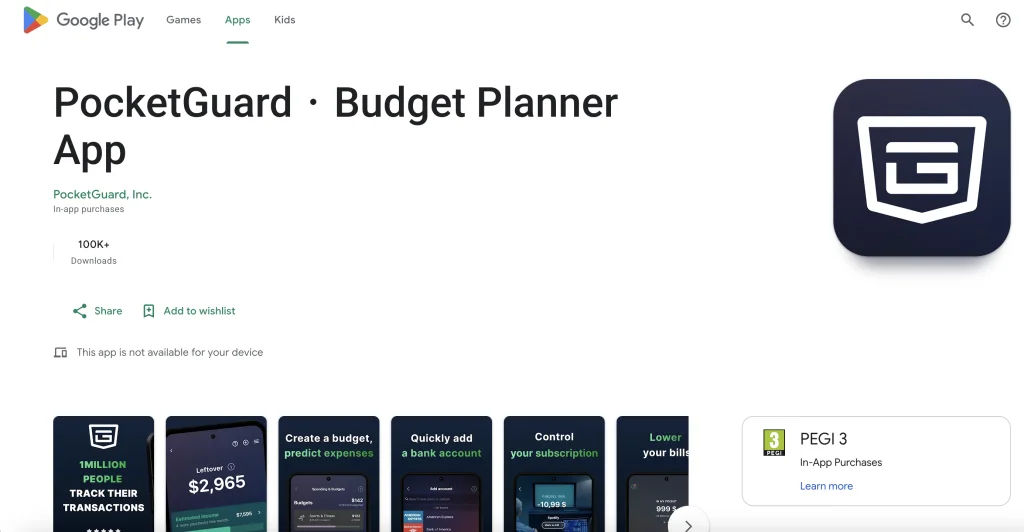
Review:⭐4.6 from 7.6K reviews (According to App Store).
Download: PocketGuard for iOS users & PocketGuard for Android users.
Cost: Free & Plus version available; Plus version is $7.99 per month, $34.99 per year, or $79.99 for a lifetime.
Why should I choose PocketGuard as my budgeting app?
Because this app will allow you to track bills and link your bank accounts, credit cards, loans, and investments. Also, the app will allow you to set money each month for your bills, necessities, and goals, and display how much money you have left.
Aside from allowing you to track your net worth, PocketGuard allows you to manually manage your funds rather than linking your accounts. In addition to other features, the app also has the premium edition PocketGuard Plus. This paid version provides a debt payback plan and the ability to export your transactions.
Users can also enter all of their debt amounts and interest rates into PocketGuard’s personalized debt payback plan,. The app will calculate your best debt payoff approach and provide a repayment schedule. In addition, PocketGuard provides Touch ID for added protection. They also have a desktop version for those who would rather use their computers for budgeting.
2. Goodbudget
Review:⭐4.6 from 12.8K reviews (According to App Store)
Download: Goodbudget for iOS users & Goodbudget for Android users.
Cost: Free and Plus version available; Plus version is $8 per month or $70 per year.
Why should I choose Goodbudget as my budgeting app?
A Goodbudget is less about monitoring past transactions and more about financial planning. This app is based on the envelope budgeting approach. Wondering what’s that? Well, the app will divide a part of your money out of your monthly income towards specific areas of your spending which are called envelopes.
However, this app cannot connect your bank accounts. On the other hand, you can manually enter cash amounts, debts, income, and account balances (which you can get from the website of your bank).
If you opt for the app’s free version you can only have one account. Also, you will have a limited number of envelopes and permission to log in on two devices.
As for the app’s paid version known as Goodbudget Plus, you can pay $8 a month or $70 annually, and you can have an infinite number of users to your budget. Also, the premium version offers additional benefits including up to five devices and an infinite number of envelopes.
Another great thing about this app is that is available on your desktop. Thus, if you are not so good with it, there are a ton of useful videos and articles to assist you in using the app.
3. Honeydue
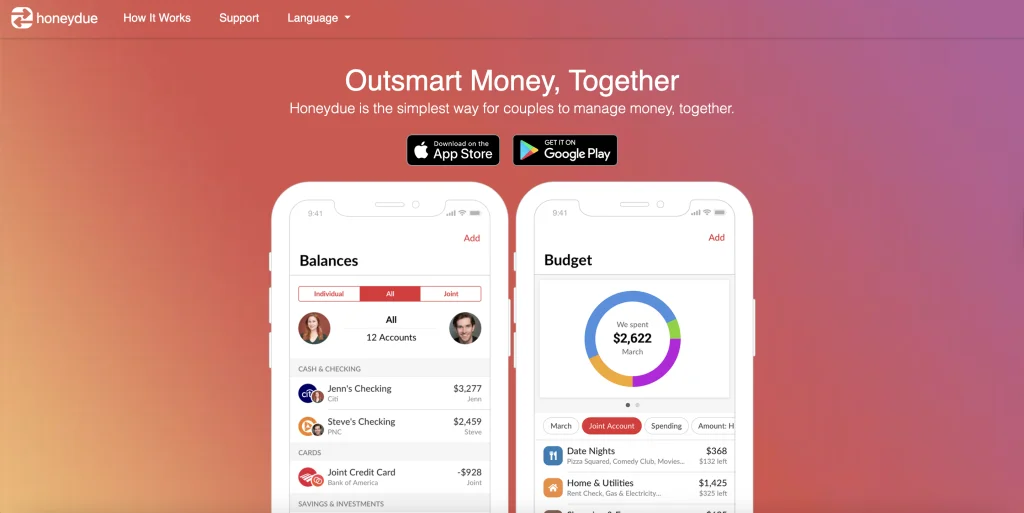
Review:⭐4.5 from 8.3K reviews (According to App Store).
Download: Honeydue for iOS users & Honeydue for Android users.
Cost: Free
Why should I choose Honeydue as my budgeting app?
With Honeydue, you and your partner can see both of your financial data within the same app. The best thing is that banking, credit card, loan, and investment synchronization is possible for both partners. However, both you and your partner are free to decide how much information you share.
Another great thing, probably the biggest advantage of this app in comparison to others on this list is that the Honeydue app is totally free to use. They do not have any paid plans so it’s perfect for couples.
There are categories that are automatically made by the app. However, you can also make your own categories. Both of the users can jointly establish monthly limits for each of these categories, and Honeydue will notify you when you or your partner is getting close to those limits.
They are providing support to more than 20,000 financial institutions in five countries. But, Honeydue also provides an FDIC-insured Honeydue joint bank account through Sutton Bank. Couples can talk about transactions, financial goals, and other topics within the app,. This makes it simple to identify any mistakes and agree on financial practices.
4. YNAB
Review:⭐4.8 from 48.1K reviews (According to App Store).
Download: YNAB for iOS users & YNAB for Android users.
Cost: A free trial is available and then you can pay $14.99 per month or $99 per year.
Why should I choose YNAB as my budgeting app?
You should choose this app if you want to plan ahead for your financial decisions. With YNAB, you create a plan for each dollar you earn using the zero-based budgeting approach. You can integrate credit cards, loans, savings, and bank accounts.
YNAB provides many training tools that walk users through the process of learning how to use the program and create budgets. This includes monitoring financial goals, reporting on spending patterns, and assistance from YNAB staff members through hundreds of online classes.
Also, the app is available both on your phone and your desktop and is compatible with Alexa, iPad, and Apple Watch. With YNAB, there is no initial commitment. This means that you can try the app risk-free for the first 34 days.
It is designed to be most effective for people who prefer to be hands-on while making financial plans. However, keep in mind that its cost is more than that of the other applications on our list.
5. EveryDollar
Review:⭐4.7 from 41.9K reviews (According to App Store).
Download: EveryDollar for iOS users & EveryDollar for Android users.
Cost: A basic free and paid version is available. A premium version is free for 14 days; after the trial period is $17.99 a month or $79.99 a year.
Why should I choose EveryDollar as my budgeting app?
With the EveryDollar app, users can construct a personalized budget and set savings goals. With a free version, you don’t need to sync accounts. You can manually enter incoming and outgoing money each month. Also, you can categorize items in your budget and create bill payment reminders.
If you want to have a better version and have more features, opt for the paid version. For extra money, you can have paycheck planning, smart tracking recommendations, bank connectivity, custom budget reports, group financial coaching, and more.
When we compare the free and paid versions, a free one is pretty bare. The premium version is much better and offers much more options but it’s not so cheap. Just like every app, this one is also available on your desktop and on your phone.
Furthermore, there are some resources available on the app’s website to guide you through its use before you sign up for a trial. For the best experience, EveryDollar suggests that users use the app from their desktops.
Conclusion
The best budgeting app depends on your financial goals and budgeting style.
Some apps are better for couples, while others are perfect for detailed planning or simple expense tracking. The most important thing is to choose an app that helps you stay consistent with your spending, savings, and financial goals.